Workflow scenario
One task in five scenes: from a good description to the client portal
This is how a team works when every person has their own AI agent. Each scene is a feature you can use today, and the checklist at the bottom leads to the documentation.
- 1 / 5
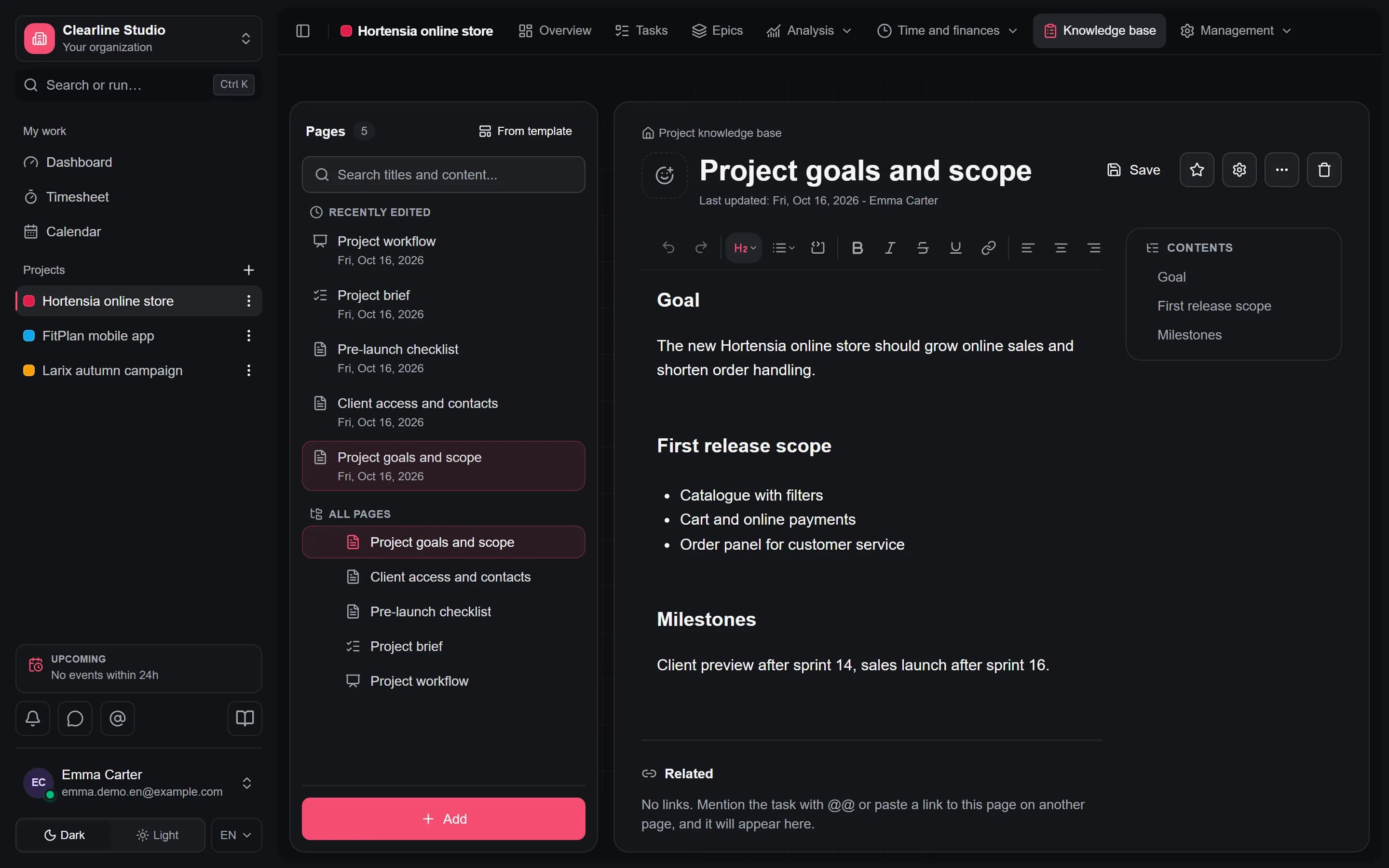
The task is well described
Description, acceptance criteria, links and discussion live in one task, and specifications and decisions in the project knowledge base. People and agents work from the same source.
- Task with a description, acceptance criteria and discussion In every plan
- Project knowledge base with mentions of tasks In every plan
- Guardian checks task readiness and prepares a brief for the agent On Business plan
- 2 / 5
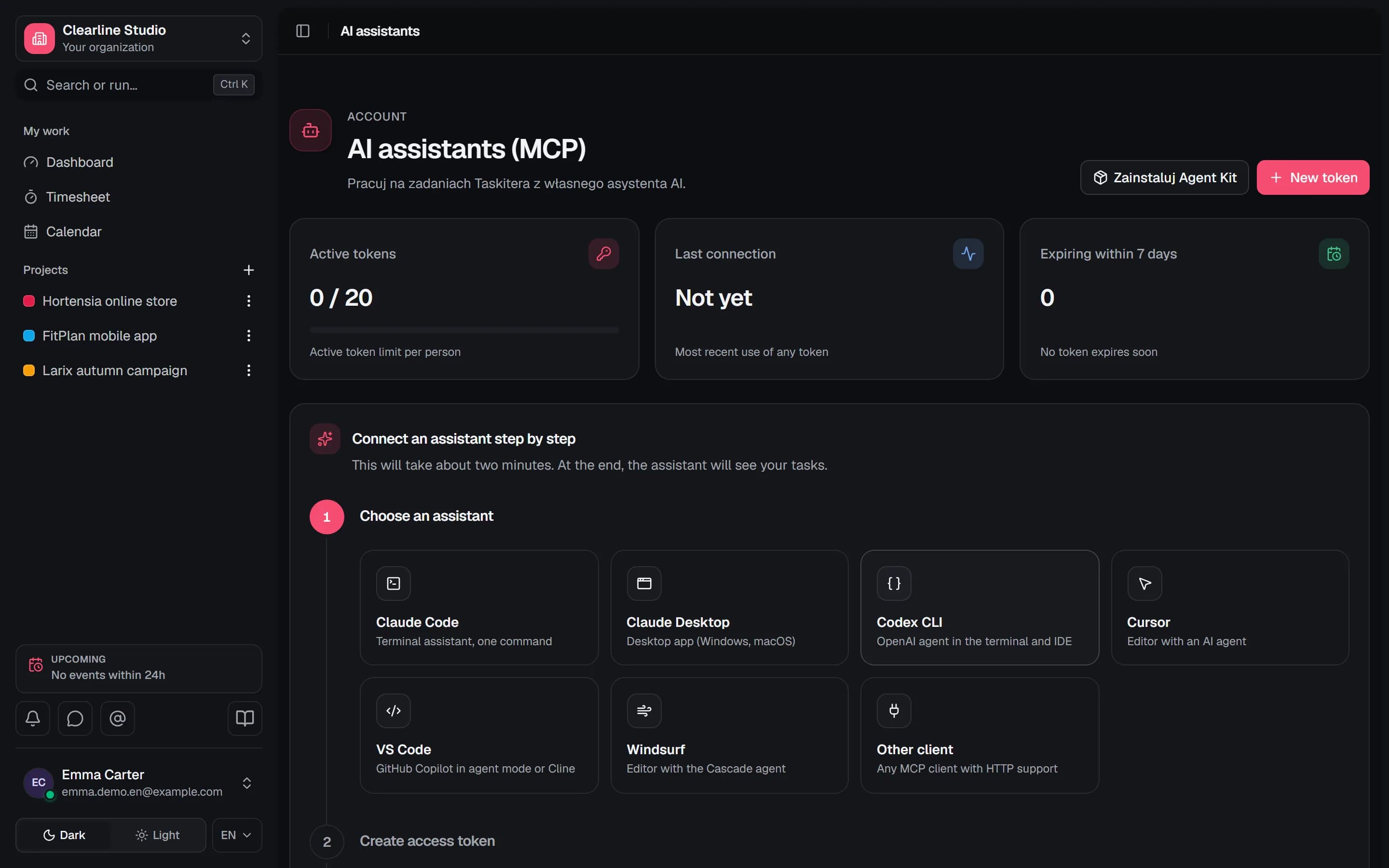
A person takes the task to their own AI
A team member connects Claude Code, Codex or Cursor to Taskiter through the MCP server. The agent acts as that person, with their permissions and within the token scope, and Agent Kit skills teach it how to work with tasks.
- MCP server with scoped tokens, an expiry date and instant revocation In every plan
- Agent Kit: ready skills for Claude Code and Codex In every plan
- 3 / 5
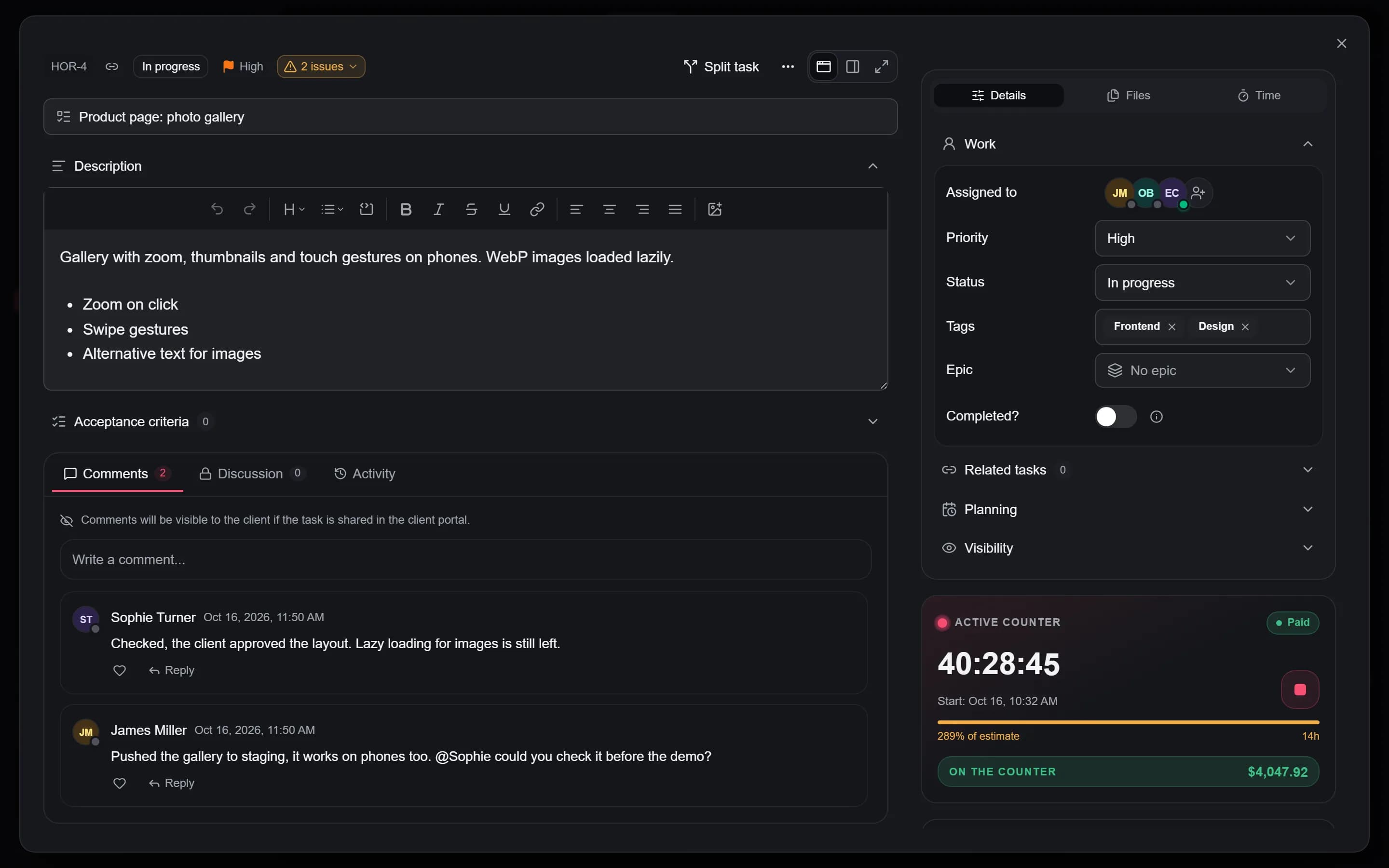
The agent works and changes come back signed
The agent runs on that person's computer or in the provider's cloud, on their subscription. Comments, statuses and time entries come back to the task signed with the person and the program, for example "Emma via Claude Code".
- Comments, status changes and time entries saved by the agent on the task In every plan
- "Via agent" signature in the task history, comments, time and audit log In every plan
- "Changed by agent" filter on the Board, List and Timeline In every plan
- List of agent connections, revocable by the person and the admin In every plan
- Agent sessions on the task with a work summary In every plan

- 4 / 5
A human checks the result
A person is responsible for the task, not the agent. Before closing it you check the acceptance criteria, the agent changes in the task history and linked pull requests from GitHub.
- Task history with signed agent changes In every plan
- Pull requests and releases from GitHub on the task On Business plan
- 5 / 5
Time, cost and the client portal
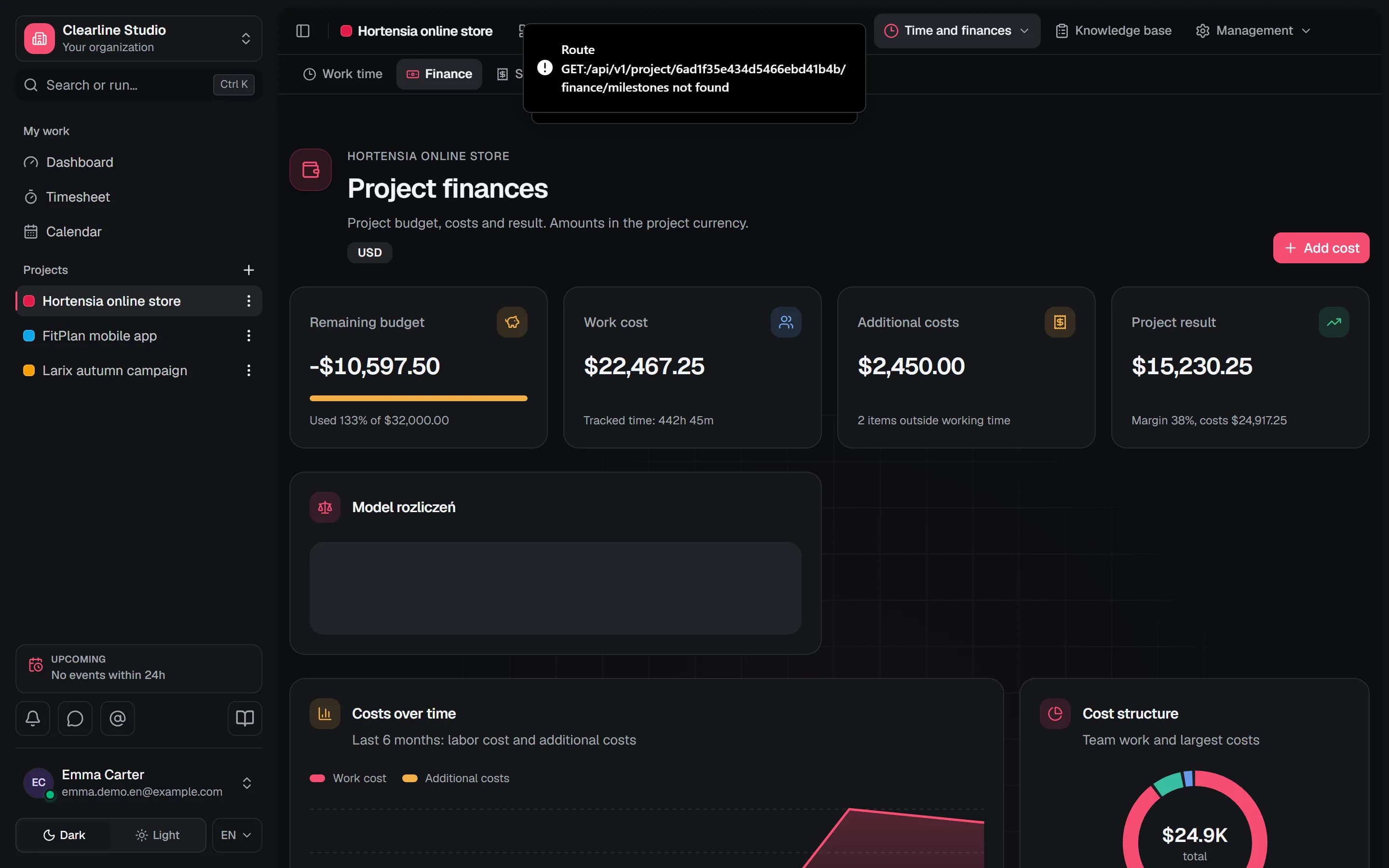
Team time is tracked on the task and flows into project costs by rate. A person starts the timer, because agent work is not the person's working time. The client sees progress in the portal, without access to the app.
- Task timer and weekly timesheet In every plan
- Project budget, labor cost and margin From the Pro plan
- AI cost per task, project and margin From the Pro plan
- Client portal with work progress On Business plan
Checklist
What stands behind each scene
Each point is a working feature with the plan that includes it and a description in the documentation.
1. The task is well described
Task with a description, acceptance criteria and discussion
In every planDocumentation
Project knowledge base with mentions of tasks
In every planDocumentation
Guardian checks task readiness and prepares a brief for the agent
On Business planDocumentation
2. A person takes the task to their own AI
MCP server with scoped tokens, an expiry date and instant revocation
In every planDocumentation
Agent Kit: ready skills for Claude Code and Codex
In every planDocumentation
3. The agent works and changes come back signed
Comments, status changes and time entries saved by the agent on the task
In every planDocumentation
"Via agent" signature in the task history, comments, time and audit log
In every planDocumentation
"Changed by agent" filter on the Board, List and Timeline
In every planDocumentation
List of agent connections, revocable by the person and the admin
In every planDocumentation
Agent sessions on the task with a work summary
In every planDocumentation
4. A human checks the result
Task history with signed agent changes
In every planDocumentation
Pull requests and releases from GitHub on the task
On Business planDocumentation
5. Time, cost and the client portal
Task timer and weekly timesheet
In every planDocumentation
Project budget, labor cost and margin
From the Pro planDocumentation
AI cost per task, project and margin
From the Pro planDocumentation
Client portal with work progress
On Business planDocumentation
Connect your AI and start with one task
The MCP server and Agent Kit are on every plan, including Free for 3 people. For 7 days you test Business features without Guardian AI, with no credit card.
Free plan with no time limit for teams of up to 3 people.